Quickstart OutSystems Developer Cloud (ODC)
This guide will help you implement the Group Link SDK in your application developed in the OutSystems Developer Cloud (ODC).
The GroupLinkSDK mobile library manages Bluetooth, Background Services, Location, and Notification permissions, with compatibility for iOS 15+ and Android 8+.
Requirements
- Required software:
- Required permissions:
- Access the OutSystems Forge to download dependencies
Step 1 - Obtaining the Mobile Library
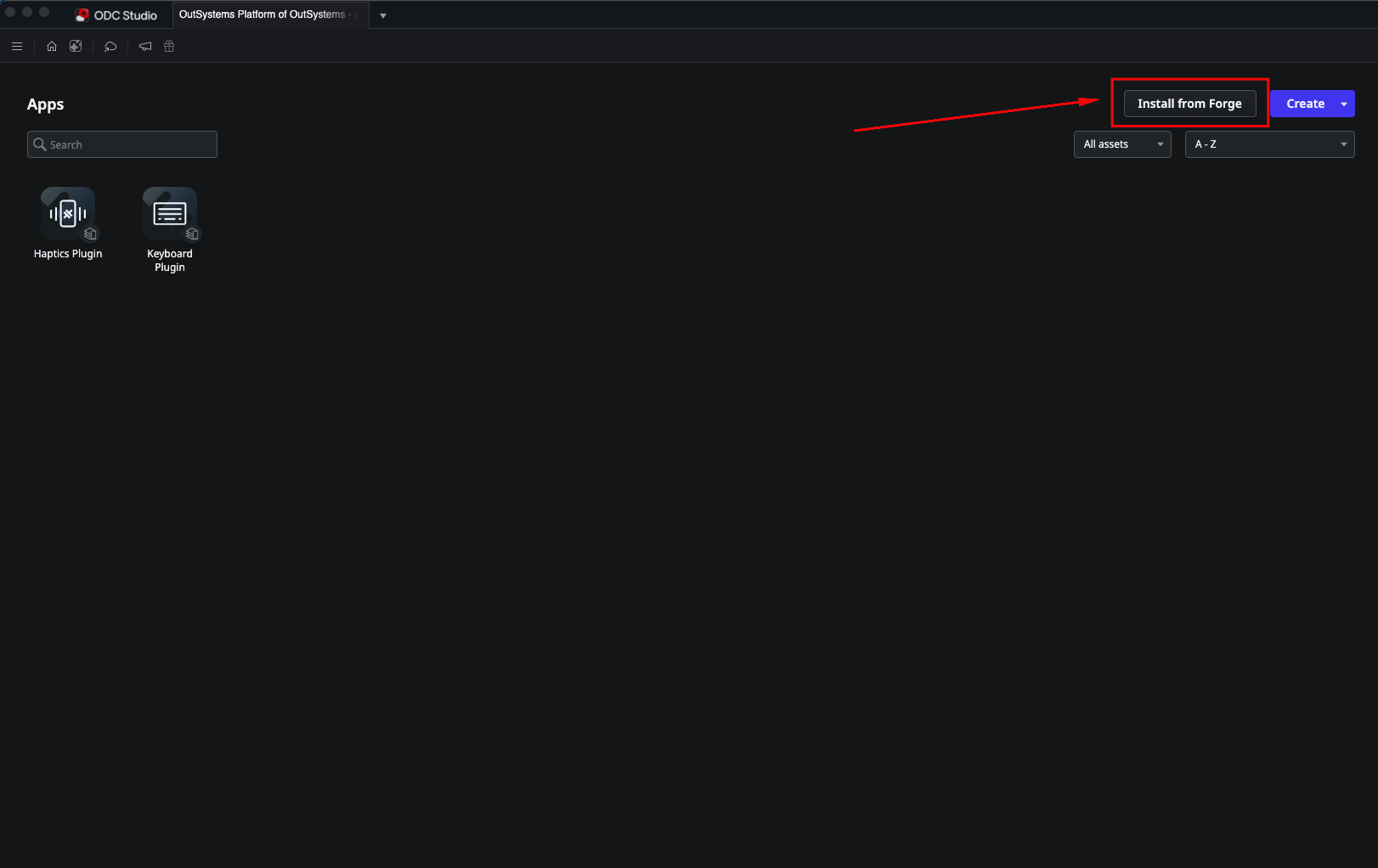
- In ODC Studio, click Install from Forge.
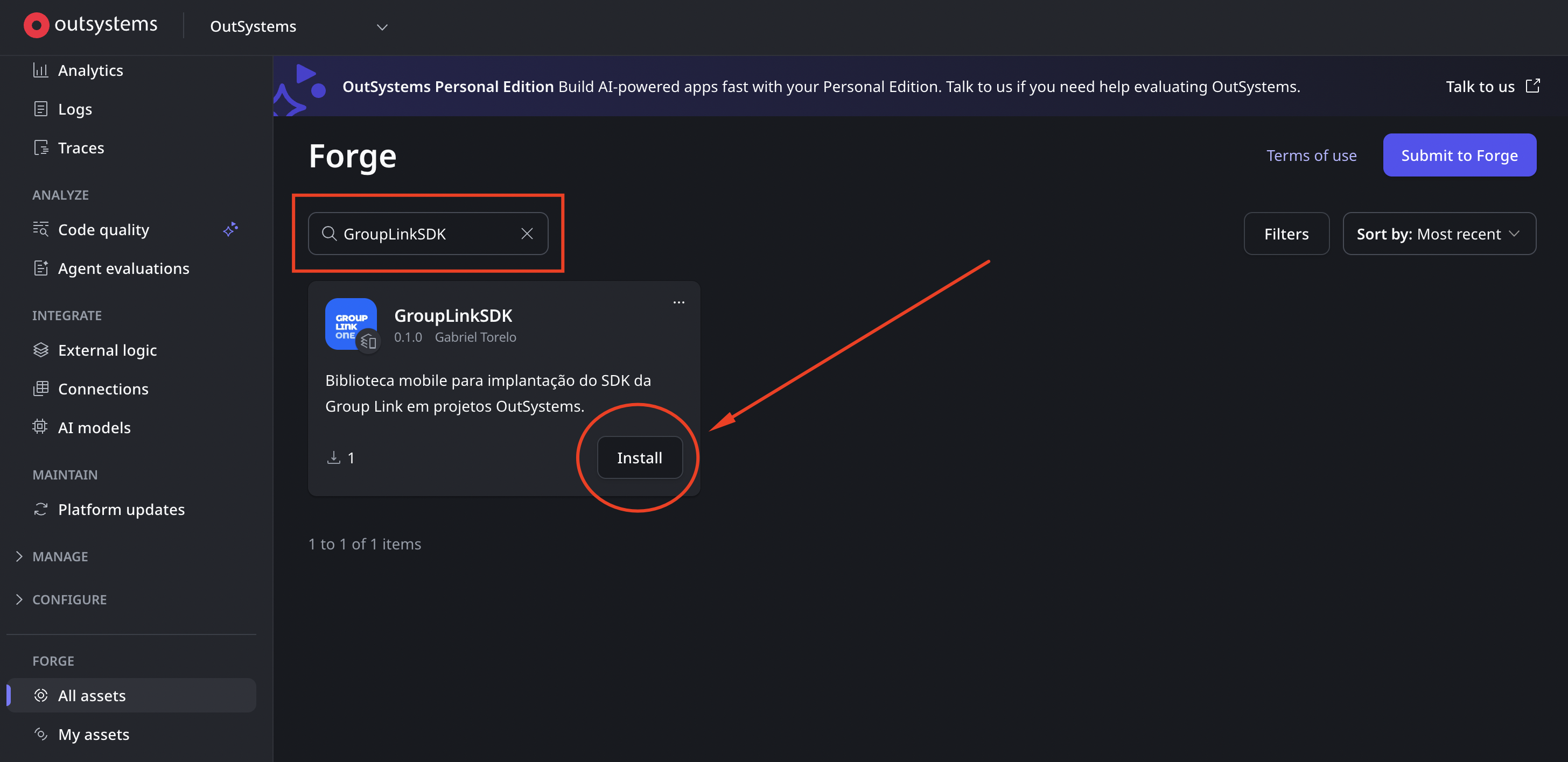
- Search for GroupLinkSDK and click Install.
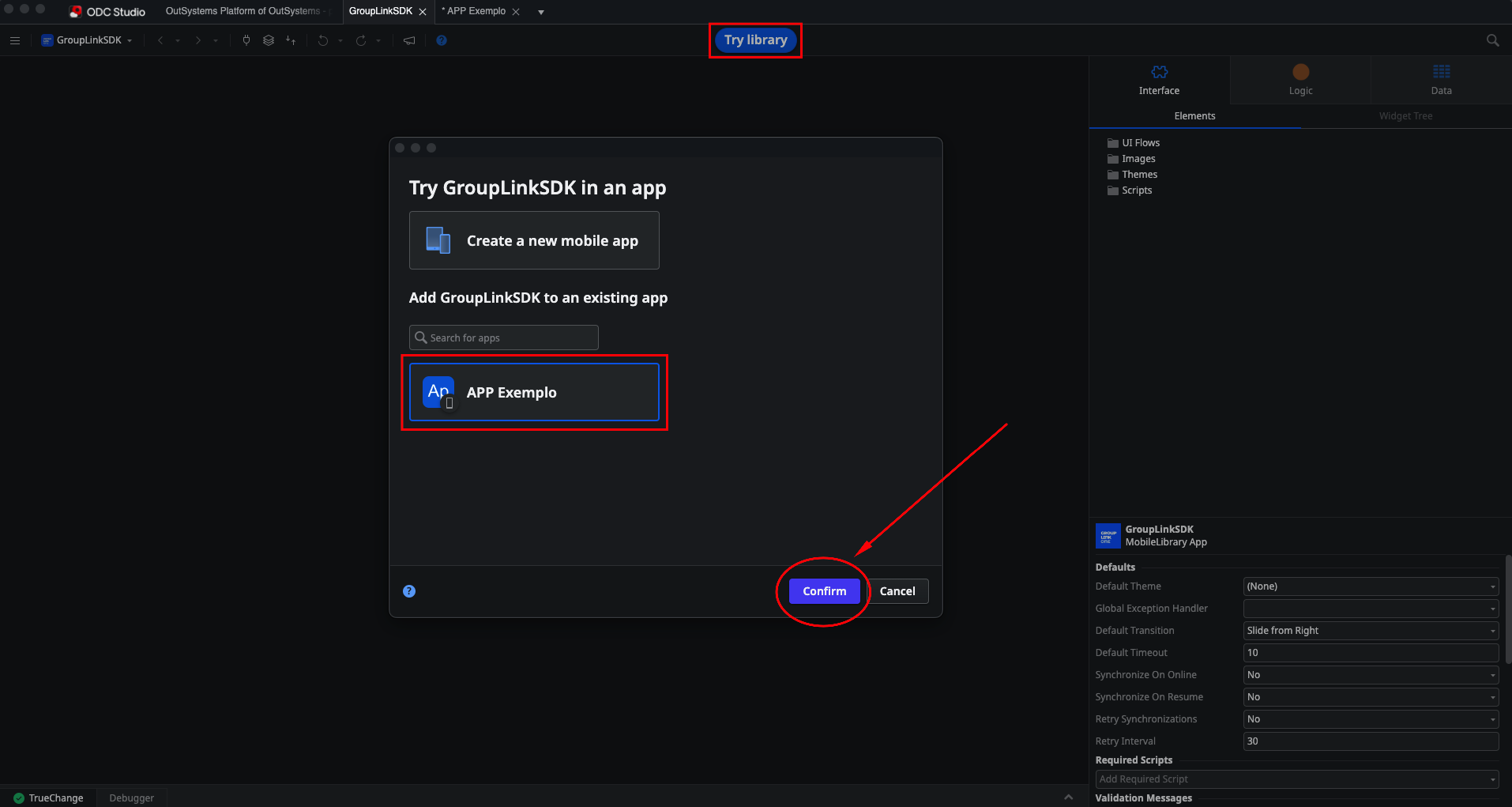
- Open the Mobile library, click Try library, select your application, and click Confirm.
Step 2 - Configuring platform specifics (Required)
Creating the buildAction.json file
Create a buildAction.json file with the following content:
{
    "platforms": {
        "ios": {
			"plist": [
                {
                    "replace": false,
                    "entries": [
                        {
                            "UIBackgroundModes": [
                                "location",
                                "bluetooth-central",
                                "bluetooth-peripheral",
                                "fetch",
                                "processing"
                            ],
                            "BGTaskSchedulerPermittedIdentifiers": [
                                "com.grouplinknetwork.bgtask"
                            ]
                        }
                    ]
                }
            ],
            "entitlements": {
                "replace": false,
                "entries": [
                    {
                        "com.apple.developer.networking.wifi-info": true
                    }
                ]
            }
        }
    }
}
Importing into the App's Resources
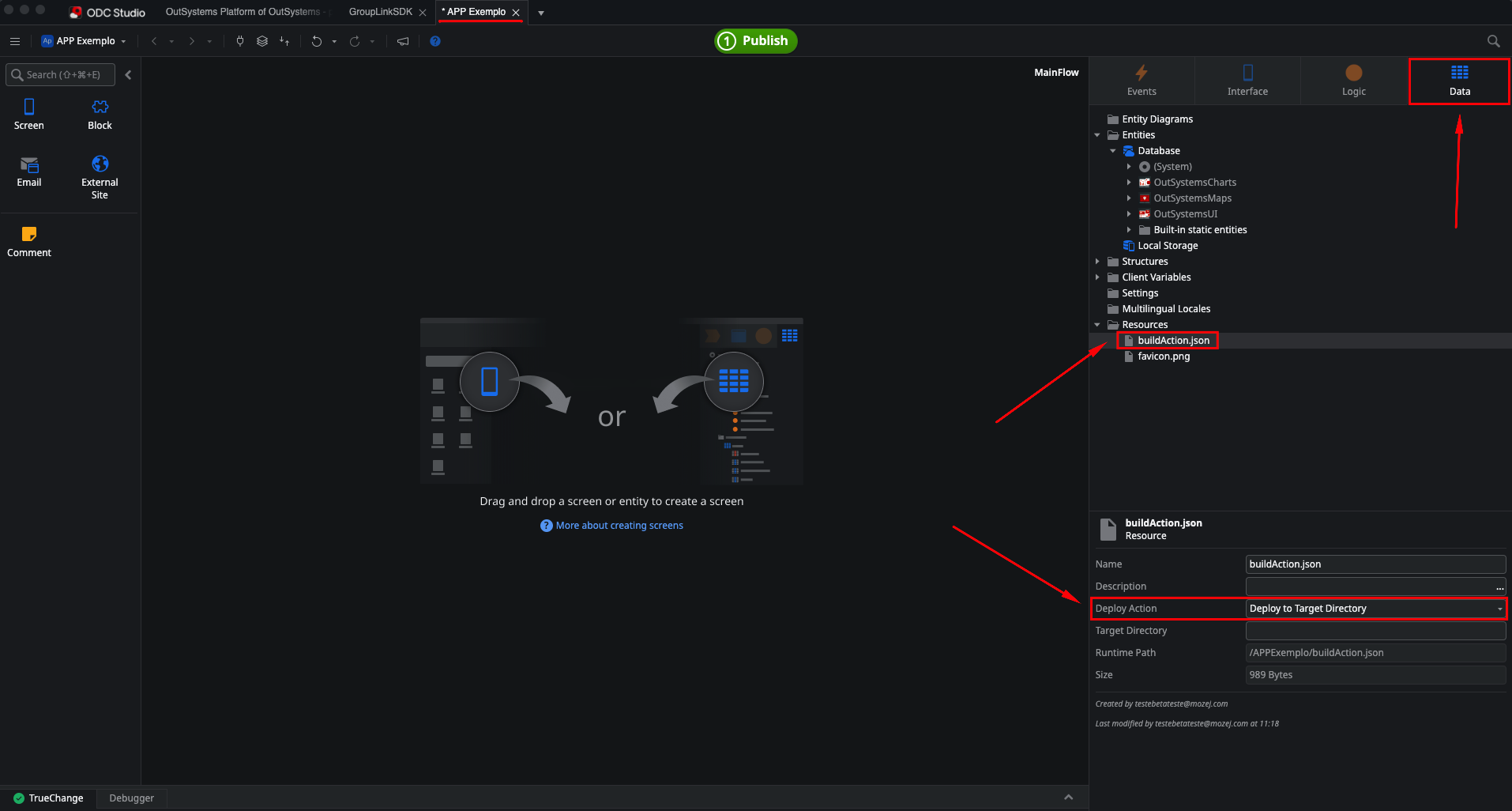
Import the buildAction.json file into your application's Resources folder and set its Deploy Action to Deploy to Target Directory.
Referencing App Extensibility
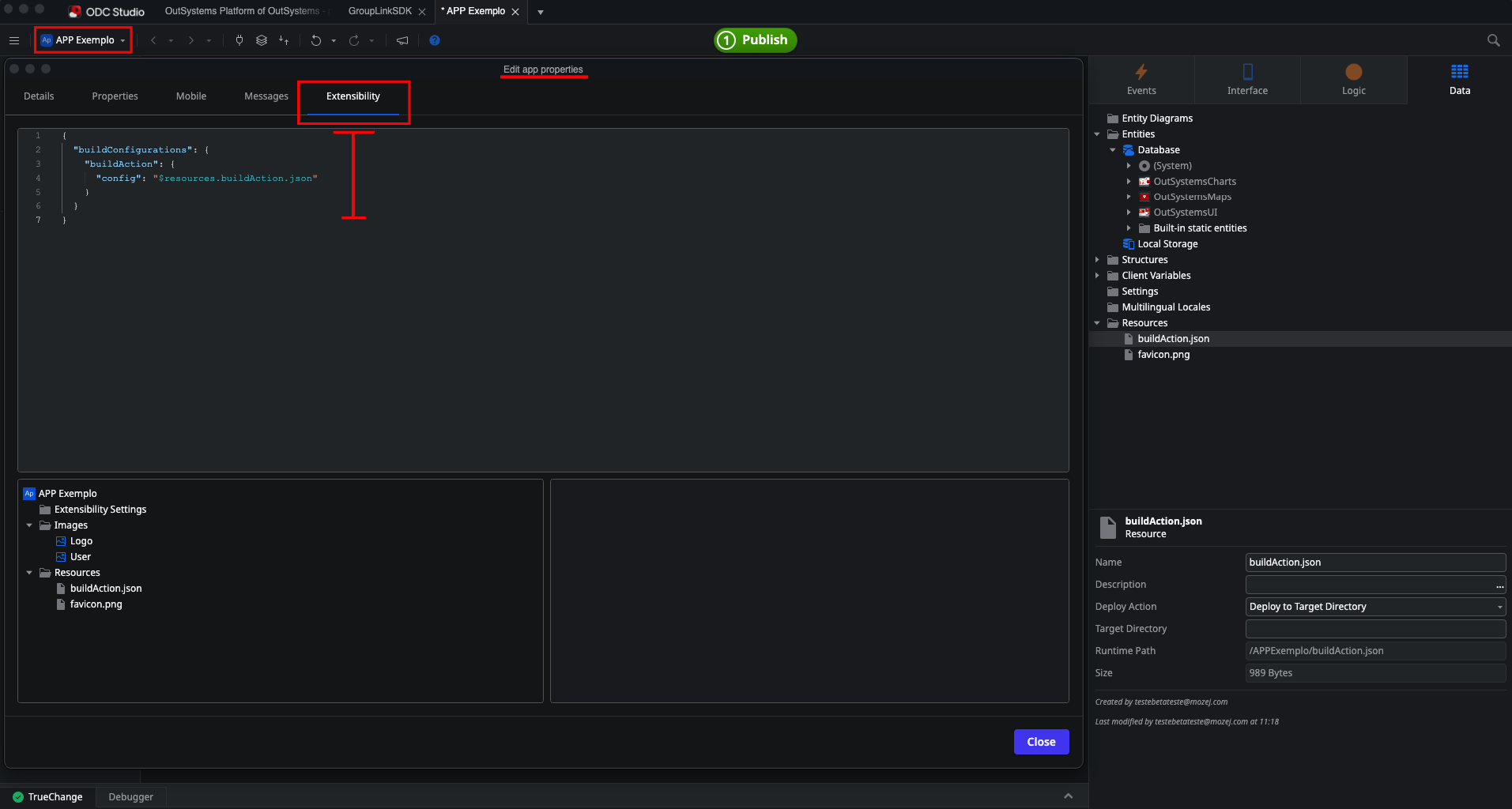
Reference the file in the application's Extensibility Configurations:
{
  "buildConfigurations": {
    "buildAction": {
      "config": "$resources.buildAction.json"
    }
  }
}
Step 3 - Using the SDK Client Actions
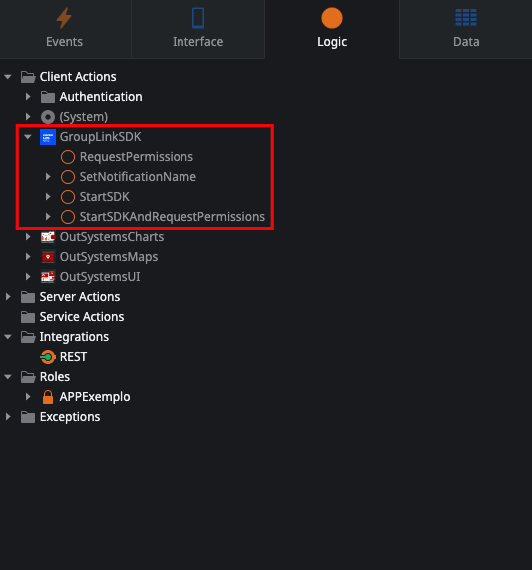
The GroupLinkSDK exposes 4 Client Actions. You can drag them into your logic flows.
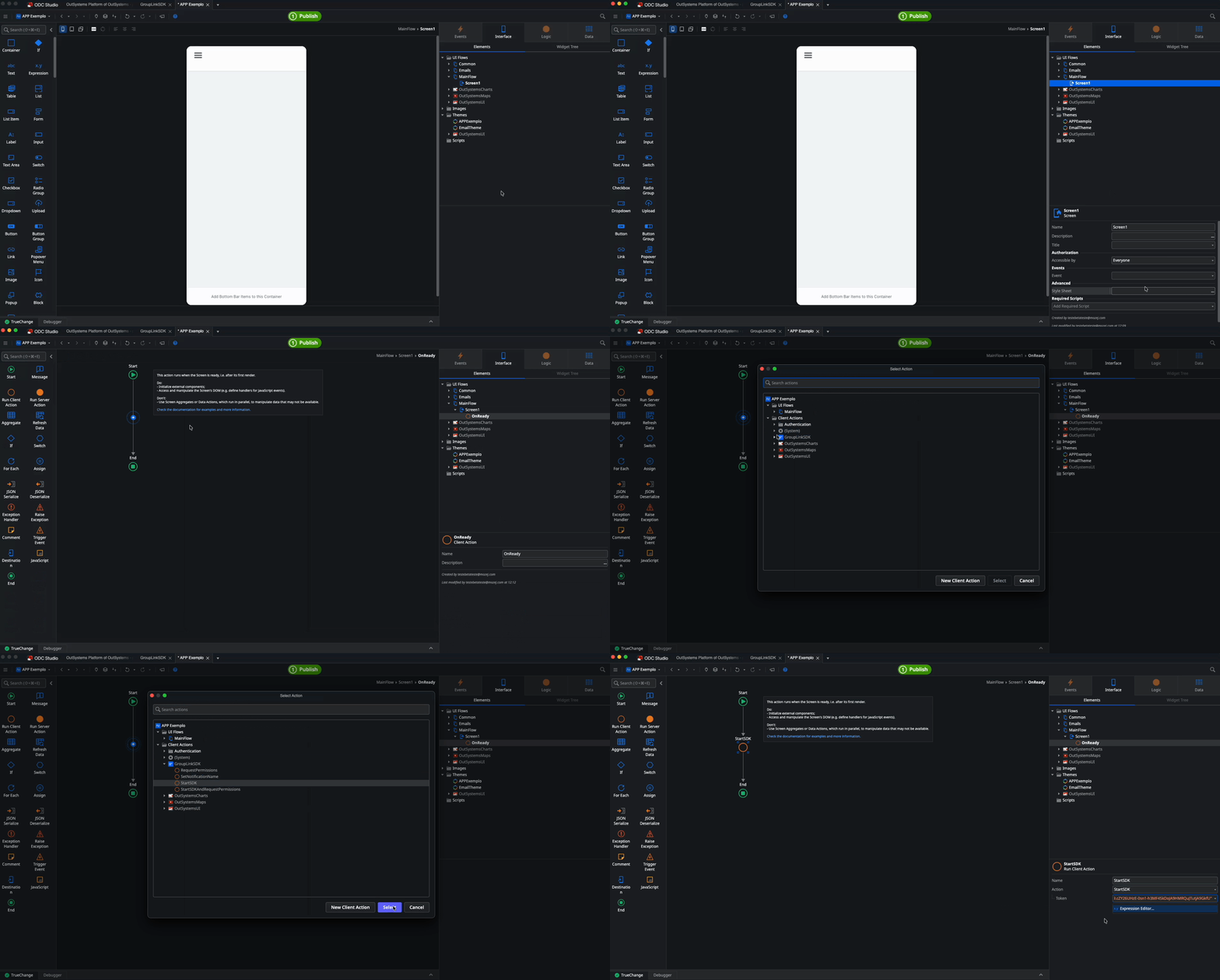
StartSDK
Initializes the Group Link SDK. It requires an authentication Token.
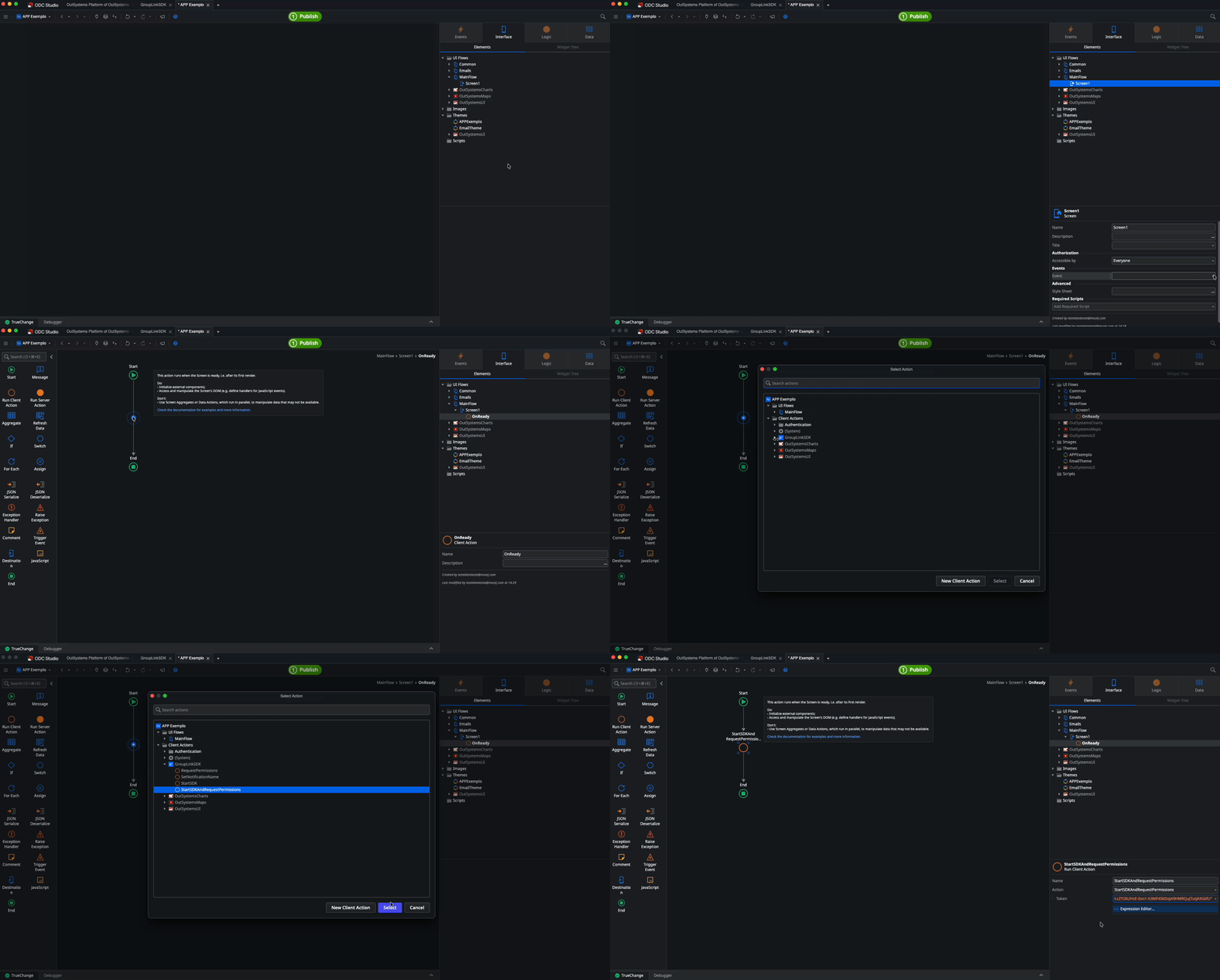
It is recommended to call this action in the application's initialization event (OnReady), on the application's first screen.
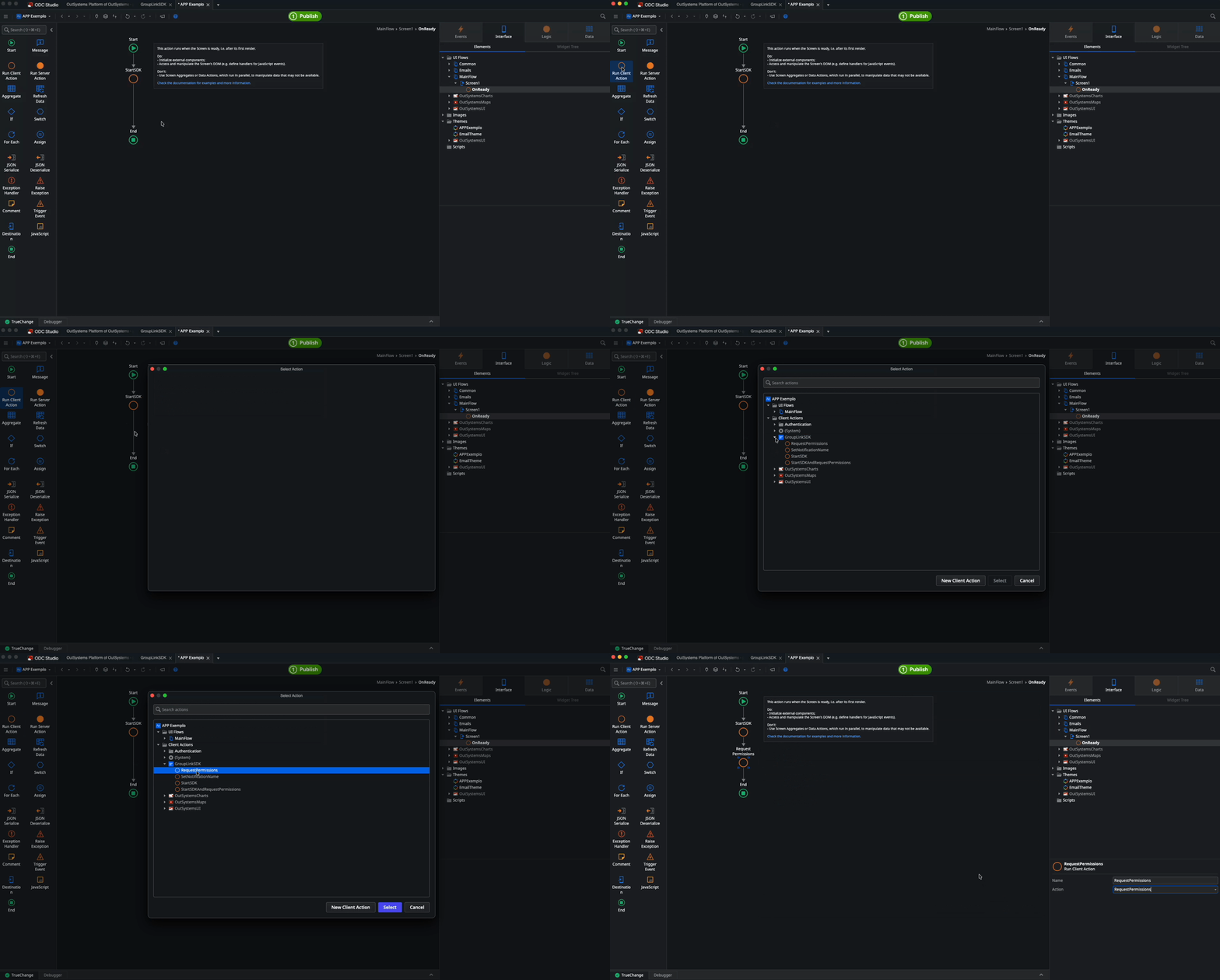
RequestPermissions
Handles the native user permission requests. It adapts the requests according to the OS version:
- Android 11: Location only
- Android 12: Location and Bluetooth
- Android 13+: Location, Bluetooth, and Notifications
It is recommended to call this action in the application's initialization event (OnReady), on the application's first screen, right below the StartSDK action.
StartSDKAndRequestPermissions
Unifies StartSDK and RequestPermissions into a single node. It requires an authentication Token.
It is recommended to call this action in the application's initialization event (OnReady), on the application's first screen.
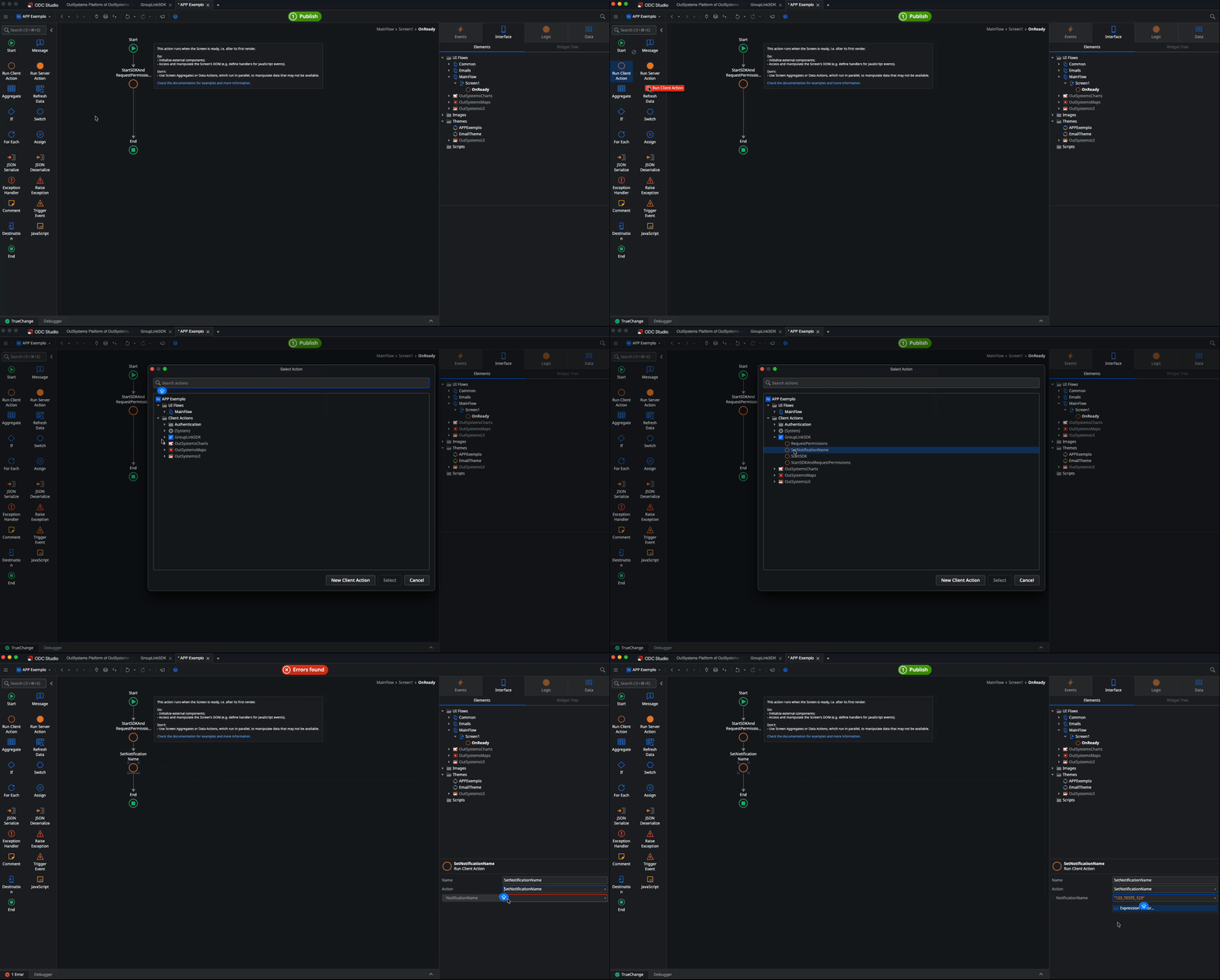
SetNotificationName
Configures the remote device identification. It receives a NotificationName (String) parameter.
Calling this method is mandatory for generating certain platform reports.
Now that the Group Link SDK is implemented and the native features are configured, your ODC application is ready to interact with our ecosystem!